
How to Restore Old Photos Quickly in 2026
Learn how to restore old photos quickly and easily in 2026. Discover step-by-step tips, AI tools, and techniques to repair damage, enhance colors, and preserve your cherished memories.
 Daniel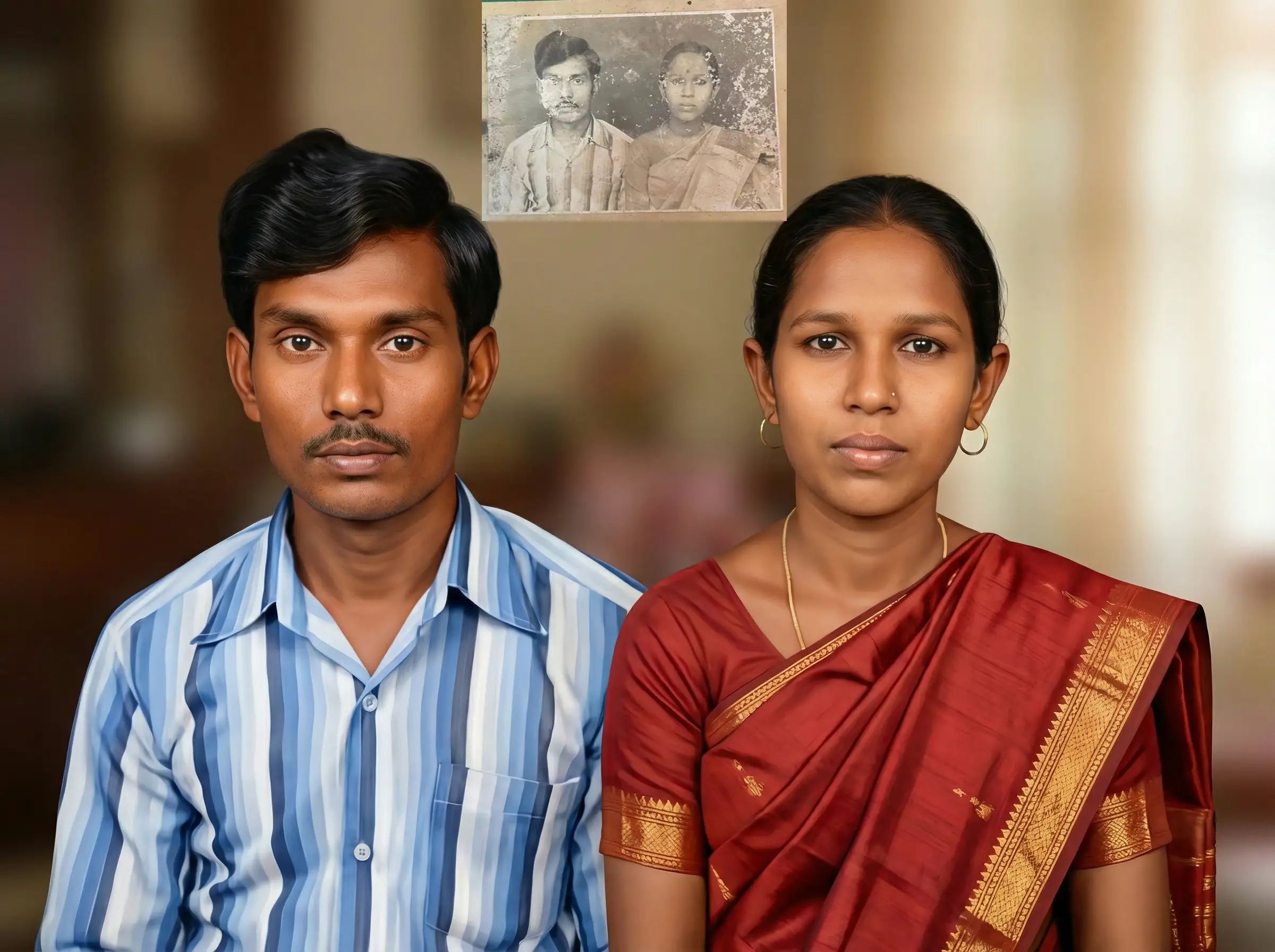
Introduction
Old photographs are more than just images—they are treasured memories capturing moments that can never be recreated. Over time, these photos can fade, get scratched, or even tear due to aging, improper storage, or environmental factors. Preserving these memories is crucial for keeping your family history alive.
Thanks to modern AI technology and online tools, restoring old photos has never been easier. In this guide, you'll learn how to restore old photos quickly in 2026 using easy, step-by-step methods that deliver professional-quality results.
Why Restore Old Photos?
Restoring old photos offers many benefits:
- Preserve precious memories: Protect your family’s history before further damage occurs.
- Repair severe damage: Fix faded colors, scratches, tears, stains, and other issues.
- Create high-quality digital versions: Perfect for printing, framing, or archiving your photo collection.
- Save time and money: Traditional manual restoration can take days and cost hundreds of dollars. AI-powered online tools provide a fast, affordable alternative.
By restoring old photos online, you can bring new life to your images while keeping the authentic feel and nostalgia intact.
How to Restore Old Photos Online Tool
Step 1: Upload Your Photo
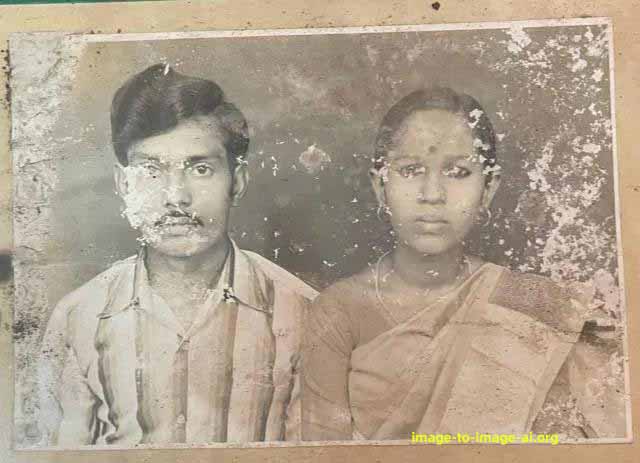
Start by selecting the old, damaged, or faded photo you want to restore. Most online tools support JPEG, PNG, and WEBP file formats. For the best results, upload the highest-resolution version you have. Simply drag and drop your photo into the tool or select it from your device.

Uploading the clearest version ensures the AI can accurately detect and repair all imperfections.
Step 2: AI Analysis
Once your photo is uploaded, the AI automatically scans it to identify common types of damage, such as:
- Scratches and tears
- Fading or discoloration
- Stains and water marks
- Blurriness or missing details
The AI then generates a targeted restoration plan, analyzing every section of the photo to determine the best way to repair it while preserving the original look.
Step 3: Automatic Restoration
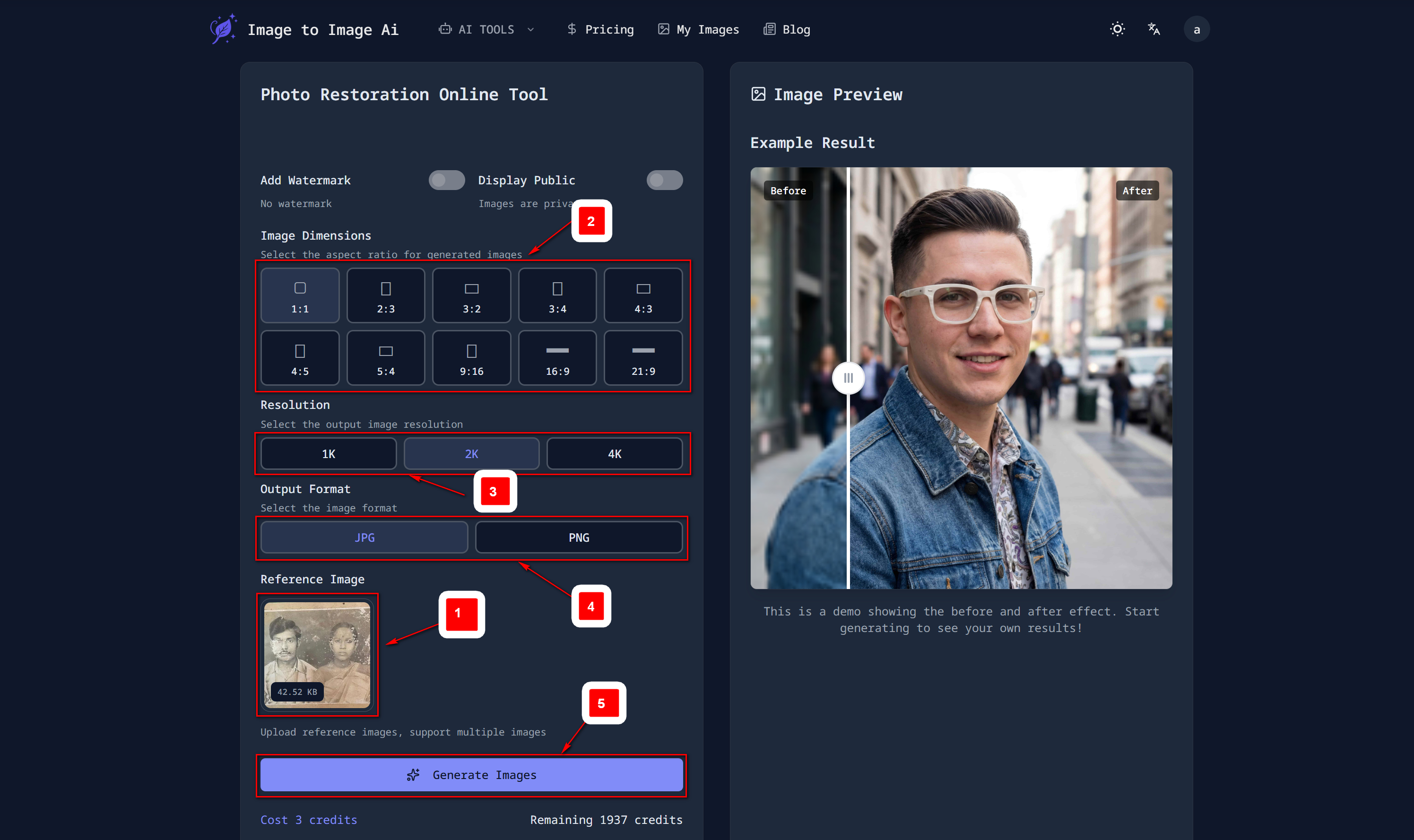
With a single click, the AI begins restoring your photo. The restoration process includes:
- Removing scratches, stains, and imperfections
- Enhancing clarity, sharpness, and overall detail
- Restoring faded or lost colors
- Optional features: colorizing black-and-white photos, adjusting brightness, contrast, and saturation
All of this happens in seconds, delivering results that often match or surpass professional manual restoration.
Step 4: Review & Download

After restoration, you can compare the before and after versions using a slider or preview feature. If you’re satisfied with the results, download your restored photo in high resolution.
These photos are suitable for printing, framing, or commercial use if your plan allows. You can also save multiple versions or keep the original photo for future adjustments.

Tips for Best Results
- Upload the clearest, most complete version of your photo.
- For heavily damaged photos, consider repeating the restoration or using manual fine-tuning tools.
- Experiment with AI presets or enhancement options to achieve the best color, brightness, and detail.
- Store your digital copies in a secure location to protect them for future generations.
Frequently Asked Questions (FAQ)
Does AI restoration look natural?
Yes. Modern AI analyzes thousands of historical photos to maintain authentic colors, tones, and textures.
Can very old or severely damaged photos be restored?
Absolutely. AI is capable of repairing even century-old or heavily damaged photos, preserving their original character.
Is batch restoration possible?
Many online tools allow you to restore multiple photos at once, saving time for large collections.
Can restored photos be used commercially or printed?
Yes. High-resolution restored images are perfect for printing, framing, or commercial purposes depending on your plan.
Conclusion
Restoring old photos has never been faster, easier, or more affordable. AI-powered online tools let you repair damage, enhance quality, and preserve memories without spending hours or paying for expensive manual restoration services.
Start restoring your old photos today and bring your cherished memories back to life with just a few clicks.
Try this Restore old photos tool now!